
Make it fit. Compress videos and photos just enough for email, free, without uploading them.
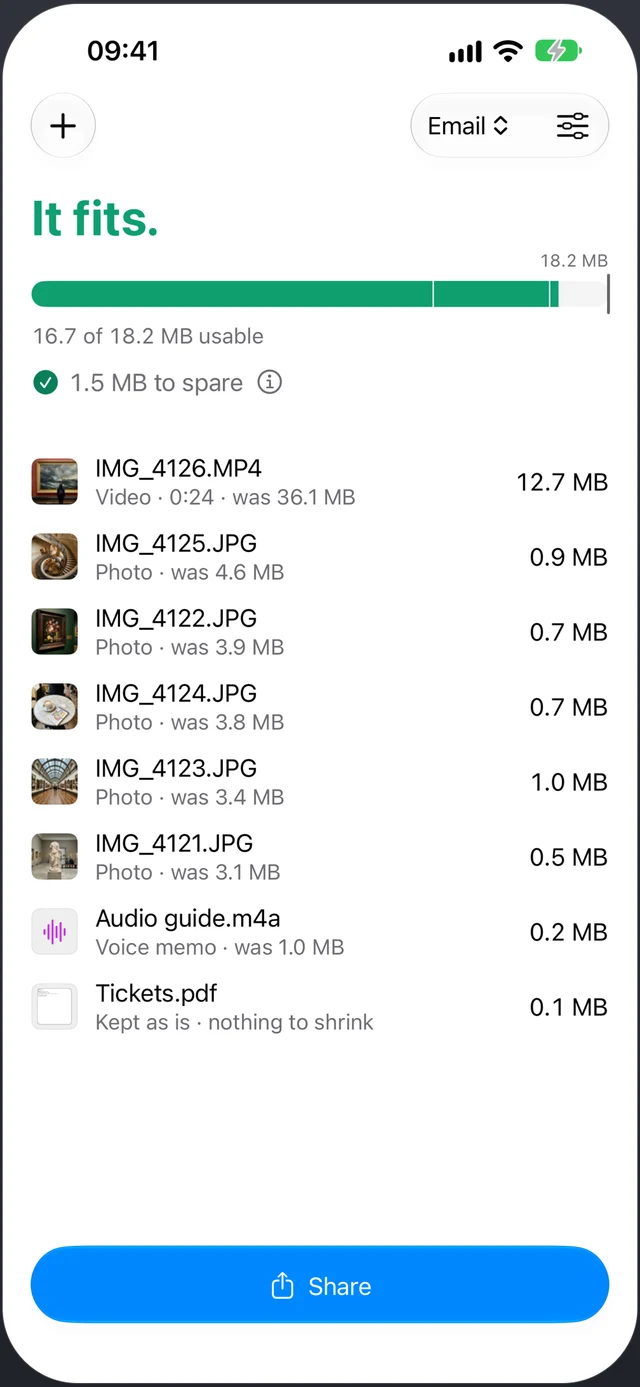
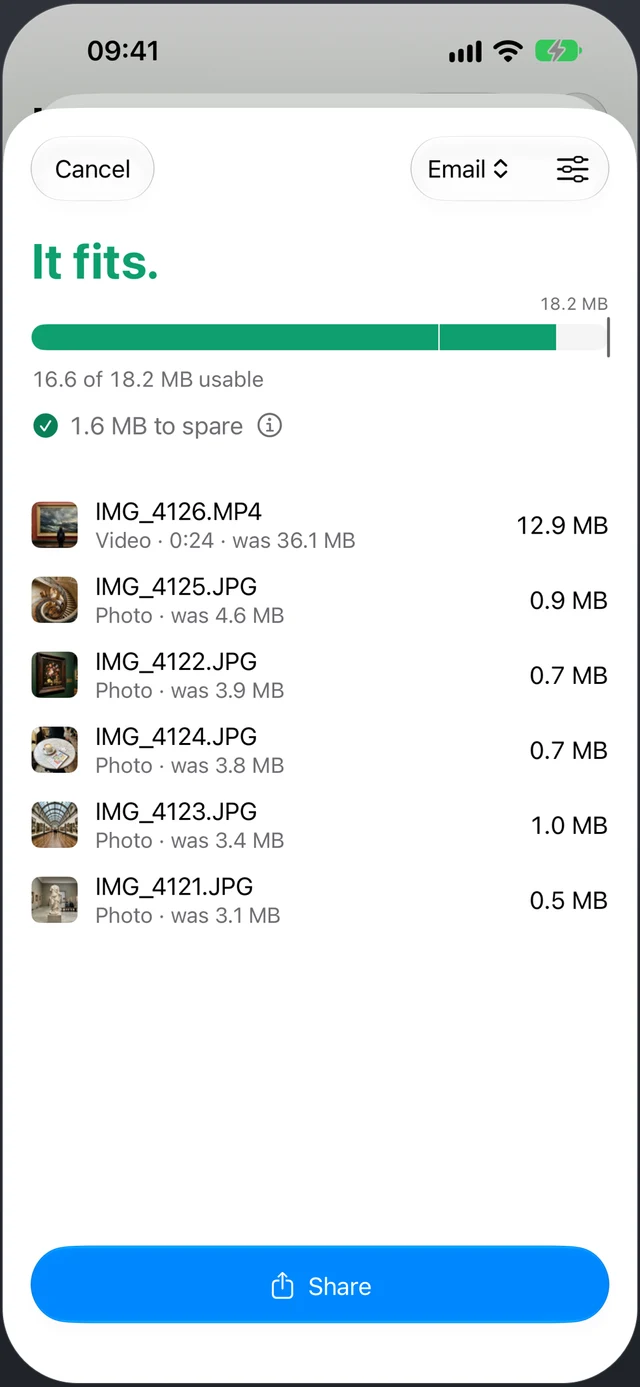
Example: one video, 36.1 MB down to 12.7 MB
Your file never uploads. Compression runs in this tab.

It fits.
Your file is downloading. Download again
The app fits whole sets, PDFs and audio, right from the share sheet.

itfits is for iPhone, iPad and Mac.
The first 3 fits are free, then a single $9.99 purchase unlocks iPhone, iPad and Mac, with Family Sharing. There are no ads or accounts, and the App Store privacy label reads Data Not Collected. On the App Store from 2 February 2027.
itfits is for iPhone, iPad and Mac.
The first 3 fits are free, then a single $9.99 purchase unlocks iPhone, iPad and Mac, with Family Sharing. There are no ads or accounts, and the App Store privacy label reads Data Not Collected. On the App Store from 2 February 2027.
That was one file. The app does the whole set.
Drop in videos, photos, audio and PDFs together. itfits shrinks each one just enough for the whole set to fit one email, from the share sheet in Photos, Files and Mail, a Finder Quick Action on the Mac, or Shortcuts.
- iPhone, iPad and Mac, one purchase
- Everything runs on the device
- No account, no ads
- Data Not Collected
itfits is for iPhone, iPad and Mac.
The first 3 fits are free, then a single $9.99 purchase unlocks iPhone, iPad and Mac, with Family Sharing. There are no ads or accounts, and the App Store privacy label reads Data Not Collected. On the App Store from 2 February 2027.
Same picture, 3.9 MB down to 0.7 MB
Drag across the photo. The left side is the 3.9 MB original, the right side is the 0.7 MB copy itfits made for email. Both are shown here as display copies at the same size.
A 24-second video, measured

 3.9 MB0.7 MB
What really fits in an email
Email carries attachments as text, which makes a file about 37% bigger on the way. So the number on the limit is not the size of file you can send. These are the provider limits as of November 2026, and the file that fits under each.
- Gmail
- 18.2 MB usableLimit 25 MB
- Outlook.com
- 14.5 MB usableLimit 20 MB
- iCloud Mail
- 14.5 MB usableLimit 20 MB
- Yahoo Mail
- 18.2 MB usableLimit 25 MB
How it works
- Pick where it is going. Email is the default.
- Drop in your files. itfits shrinks each one just enough for the whole set.
- Watch the meter fall until it says It fits.
On your Mac too
A Finder Quick Action, Make It Fit for Email, writes fitted copies next to your originals. One purchase covers iPhone, iPad and Mac.
Questions
Why does 25 MB become 18.2 MB?
Email sends attachments as text. Encoding a file that way makes it about 37% bigger, so a 25 MB limit holds about 18.2 MB of file. itfits aims under that number so the message goes through.
What are the limits for each provider?
As of November 2026: Gmail 25 MB, Outlook.com 20 MB, iCloud Mail 20 MB, Yahoo 25 MB. Work accounts can differ. The full table is on the limits page.
Does my file get uploaded?
No. Your file never uploads. Compression runs in this tab, and the site never logs file names, sizes or contents.
How big can the file be?
Up to 200 MB in a desktop browser and 100 MB on a phone. Bigger files, PDFs and whole sets need the app.
Is it free?
The browser tool is free, one video or photo per visit. The app gives you 3 free fits, then a single $9.99 purchase unlocks it on iPhone, iPad and Mac, with Family Sharing. No subscription, no ads, no account.
Does it work on Windows or Android?
The browser tool does: it runs in any current browser with WebCodecs, on a computer or a phone. The itfits app is for iPhone, iPad and Mac.
Guides
Limits, steps and a working tool for each kind of file.
- Compress video for emailGmail: 25 MB limit, 18.2 MB usable
- Video too large to email? Make it fit.A 20 MB file fails a 25 MB limit
- Compress photos for emailA phone photo as JPEG: 2 to 5 MB
- Email attachment size limitsGmail 25 · Outlook.com 20 · iCloud 20 · Yahoo 25 MB
- Compress video for chat appsTelegram: 2 GB per file
- Compress a PDF for emailPDFs shrink in the app, not the browser
- Compress video on Mac for emailFinder Quick Action: Make It Fit for Email
- Compress a video, free and without uploading itUp to 200 MB on a computer, no upload
- Reduce a video’s file size1 minute at 2 Mbps = 15 MB
- Compress an MP4MOV or MP4 in, MP4 out
- Compress a photo to the size you needTo 1 MB, 2 MB or any limit
- Compress a video for DiscordDiscord: 20 MB per file on free accounts